Britons remain tolerant despite terror outrages

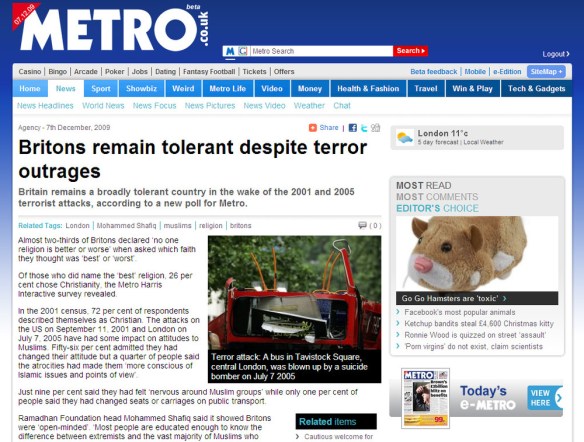
Okay, so I know the Metro isn’t exactly the bastion of great journalism or anything, but they ran a story today based on a Harris Interactive study, that bugged me: METRO: Britons remain tolerant despite terror outrages (the linked story lacks the infographics that accompanied the printed article).
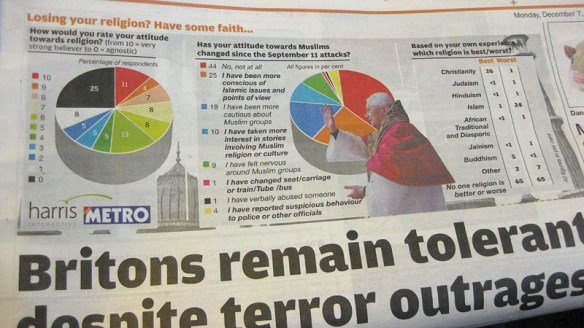
Harris Interactive interviewed 1,296 people, who were asked to rank their strength of faith from 0-10, with zero being agnostic. I’m curious why the Metro used this label. Surely atheist is the correct definition for someone with 'zero faith'? To me, agnosticism implies that some doubt – trace amounts of faith – may remain.

The main issue the data raised for me was completely ignored by the article. Those surveyed were asked which religion was 'best' and which was 'worst'. Sensibly, 65% answered that no one religion was better or worse. Christianity stormed ahead in popular opinion however, with 26% voting it the 'best'. The 'worst', according to 24%, was Islam.

That result, in my view, contradicts the Metro's conclusion that we remain tolerant. Also, there is a very strong implication that it's the Christians that have the biggest problem with Islam. Sadly, the Harris Interactive data hasn’t been published on their site to elaborate on the Metro's assertions.

I left a (polite and reasonable) comment on the Metro post, but it wasn’t published.
FontForge – Other ways to build a typeface in Linux?

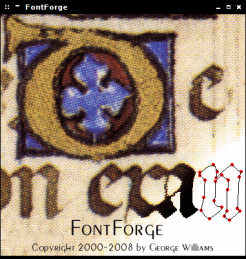
FontForge I have always had the ambition to design typefaces, but besides reading several books on the subject and creating one (very rough) font, I’ve not made any progress.

Well, I still haven’t, but I have just installed FontForge. After much digging, it seemed to be the only real option for Linux (not that other Mac and Windows are exactly overflowing with options). I’m know Inkscape has some type-specific features – and I plan to explore these – but I really wanted to try a dedicated program. Continue reading

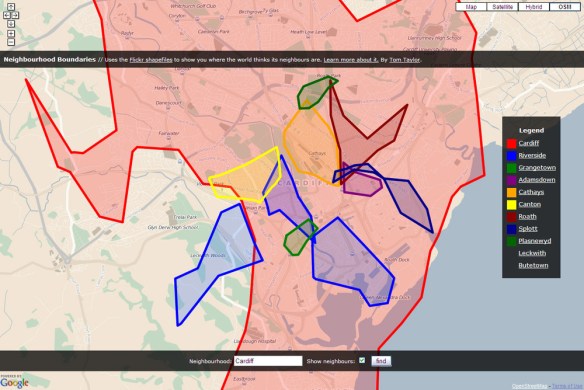
Boundaries – a tool to visualise the shape of neighbourhoods

Boundaries - a tool to visualise the shape of neighbourhoods

Boundaries uses Flickr geotagging data to draw local area boundaries on a map. It’s creator, Tom Taylor, says:

Flickr understands that places are more than unique geographic identifiers; that they are mental models people use to identify with location. Moreover, they are fluid and opinionated, varying based on a number of parameters such as context, ambition and personal background. In true wisdom of the crowds style, Flickr use the combined selections of their thousands of photographers to compute the shape of these places.

I think it’s a wonderful idea. Tom has several other fun projects, including the Flickr game Noticings, and a handy micro-printer you could use for to-do lists or hyperlocal news print outs. He also has a talk up on http://www.dolectures.com/ where he explores more ideas.

Cardiff regions on Boundaries.

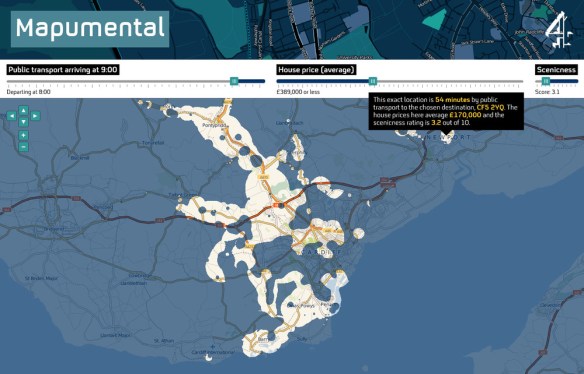
Mapumental

I watched a fascinating presentation on mapping technologies and their use in the BBC yesterday. The highlight for me was an amazing video showing all the Open Street Map edits made in 2008. The Channel 4 / MySociety / Stamen project, Mapumental was also demonstrated (well, just the Mapumental YouTube video actually).

It’s a really useful tool. Here I’m showing a few Cardiff examples.

Mapumental — Cardiff

Continue reading

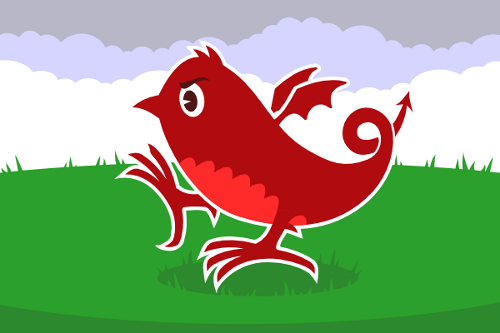
Twitter dragon – a mascot for Welsh tweeters

A simple mashup of the Twitter cartoon bird identity and 'Y Ddraig Goch' that appears on the Welsh flag. It’s not finalised yet, but it’s nearly there. When I look at it again in a few day, I’ll probably spot exactly what needs to be tweaked to make it just right. Of course, feedback at this stage is often useful too. :)

I’m thinking about putting him on a grassy backdrop, to imitate the Welsh flag even more.

Blogging icons

I’ve been slightly tweaking a nice WordPress theme to use for my blog, and I wanted to use some nice minimalistic icons. I had in mind the excellent Picol project icons, but on closer inspection they were a bit mismatched and when I saw them in place they looked like they had come from several different icon sets.

So these were heavily inspired by Picol, but a little more rounded and consistent with each other. The set took less than an hour.

Openbox logout icons

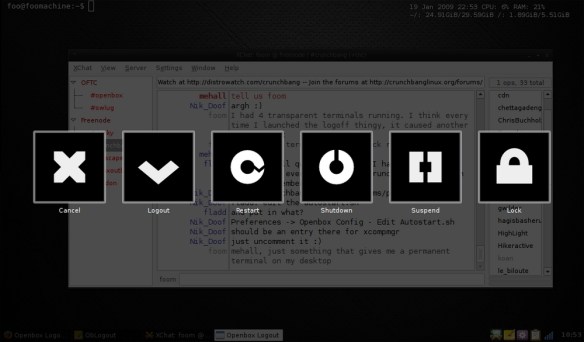
On and off for the last week I have been experimenting for pretty much the first time with some icon designs for an Openbox logout script being written by Nik_Doof for #! CrunchBang Linux.

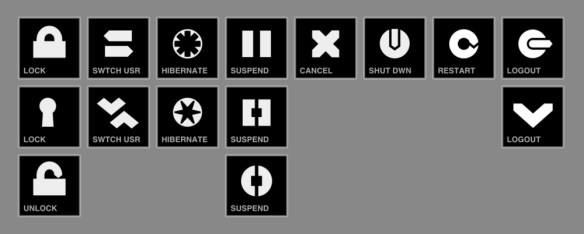
I’ve attached a screenshot below of the 0.1 release in action, as well as some alternative icons. I plan to revamp the icons: I’m going to try a set making better use of PNG transparency, and also provide a smaller size (64×64?). Of course, I’ll also make the SVGs available in due course.

Any feedback is welcome!

Continue reading

Twitter themes for dummies

Twitter introduced new themes recently, which should help bring a bit of variety to profile pages, but a shocking amount of people seem to stick with the default twitter page design. Or worse, modify it badly and really bodge things up. Here’s a quick guide to making a nice theme.

  1. Pick a nice colour palette. Colour Lovers is great for this. I chose a monocromatic an aggressive red palette, but you’re probably better off going for some contrast. Nothing vivid mind! We don’t want to melt any eyeballs or anything. Write down the hex values or keep the page handy.
  2. Make a background image. You can use a plain colour if you like, but the background is the biggest canvas for creative freedom on Twitter, so why not make the most of it. I used Stripe Generator. Just plug in your colours until it looks good. You can be bold, but try to pick a couple of colours that don’t clash together. Preview to make sure things tile nicely and download when you’re happy. I ended up with this, which suits my project nicely.
    If you lack even this basic level of artistic ability, just grab a nice image from Twitter Patterns. What do I care?
  3. Now to business! Go to your Twitter settings and look under the design tab. This is much improved over the last version, but it can still be a bit clunky. Go ahead and upload your background image and save changes. Looking good? I’ll take your word for it.
    To the right you can change your design colours. Put your hex numbers from Colour Lover in here. Be sensible and make sure you can read all the text clearly. This can be trickier than you might think. The live preview is great, but make sure you check your actual profile page, as other users will see it. Do your links stand out? Can you read everything in the sidebar? Then that’s probably as good as you’re going to get. Job done.
  4. Well, almost. You still need a decent avatar, but that’s a subject for when I’m less grouchy. Just one pointer: If you use Face Your Manga, you have failed.

Further reading: Learn a bit about colour theory, and experiment. Look for inspiration, and try some helpful tools.

Tweeting every time your data is compromised

Tonight, my project is to add some polish to my Twitter project: Data Hole. It’s an automated Twitter account that uses Twitterfeed to post links to news stories about companies and governments that loose personal data records, or otherwise compromise your privacy. The goal is to raise awareness about the issue. At the moment it’s just taking in a Google News feed, but I plan to use Yahoo! Pipes to refine it a bit, and add some other features. I’m going to look into using TweetLater too.

I may also write a follow up to my blog post, ‘Build a Robot Slave in Twitter‘. But probably not.

Link

Inkscape is an Open Source vector graphics editor, with capabilities similar to Illustrator, Freehand, CorelDraw, or Xara X using the W3C standard Scalable Vector Graphics (SVG) file format. Supported SVG features include shapes, paths, text, markers, clones, alpha blending, transforms, gradients, patterns, and grouping. Inkscape also supports Creative Commons meta-data, node editing, layers, complex path operations, bitmap tracing, text-on-path, flowed text, direct XML editing, and more. It imports formats such as JPEG, PNG, TIFF, and others and exports PNG as well as multiple vector-based formats.