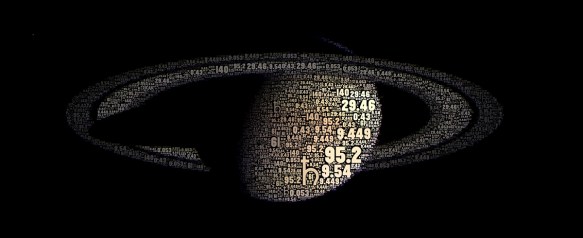
I love these images by Orbiting Frog:

The National Assembly for Wales have put up an e-Petition to abolish collective worship in schools:
As it stands, the law requires all schools to hold an act of collective worship every day. Even in schools that aren’t ‘faith’ schools, this must be ‘broadly Christian’ in character. In a society which is increasingly diverse, this is an affront to the rights of young people to express their beliefs freely. Although there is the opportunity to opt out, this is reliant on parental permission and is not respected by all schools. The law is extremely unpopular, with opinion polls showing teachers don’t want it, parents don’t want it, and children don’t want it. As such, it is long past time for the daily act of collective worship to be replaced with inclusive assemblies that add to cohesion and a sense of community within the school. We petition the Government to repeal the requirement for compulsory collective worship in schools and to encourage schools to hold educational assemblies that will include all children, regardless of religion or non-religious belief.
Long overdue. One of my main memories of Torpoint School was of myself and a friend being punished by a particularly nasty geography teacher after failing to sing along in an assembly. He forced us to sing ‘Onward Christian Soldiers’ in front of his next (much more senior) class.
The Museum of Obsolete Objects is a snazzy YouTube channel:
Sadly, as our daily lives become more and more digital some things fall by the way side as they are replaced by newer, «better» devices.
Let us not forget those fallen appliances, tools and gadgets and relive those bygone times by taking a visit to The Museum of Obsolete Objects. Step inside to step back in time!

You may have noticed a slight change at this blog – it was finally time to give up on Posterous and move over to WordPress.com. There’s still a bit of tidying up to do, but I’m really happy with the change.
All the old Halfblog.net content is still available at foomandoonian.posterous.com. Gradually, I may migrate some more content over and eventually shut down the Posterous blog entirely, but I haven’t really decided yet.
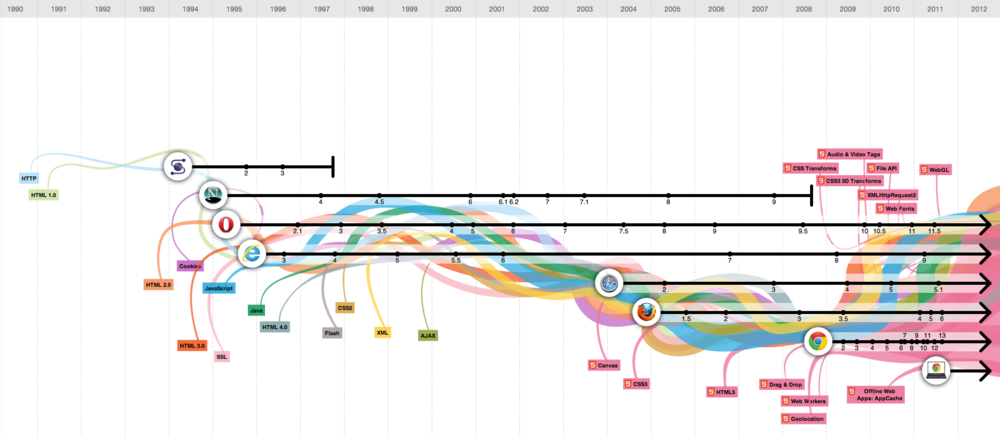
Here’s another infographic that looks pretty, but fails at conveying information in any useful way: The Evolution of the Web.
[…] To pay homage to the goodness of the web, we’ve put together an interactive infographic, built in HTML5, which details the evolution of major web technologies and browsers:
via Happy third birthday, Chrome! – googleblog.blogspot.com
I understand the timeline aspect, showing major revisions, but what are the coloured lines illustrating? According to the page:
The color bands in this visualization represent the interaction between web technologies and browsers, which brings to life the many powerful web apps that we use daily.
Which sounds a bit hand-wavy to me. Lets look at the interaction of JavaScript with web browsers in more detail, for example:
A woman wakes up in a room with no memory of who she is or how she got there…
James Gleick, author of The Information: A History, A Theory, A Flood, puts it rather elegantly:
We’re in the habit of associating value with scarcity, but the digital world unlinks them. You can be the sole owner of a Jackson Pollock or a Blue Mauritius but not of a piece of information — not for long, anyway. Nor is obscurity a virtue. A hidden parchment page enters the light when it molts into a digital simulacrum. It was never the parchment that mattered.
Historically, the two main types of obstacles to information discovery have been barriers of awareness, which encompass all the information we can’t access because we simply don’t know about its existence in the first place, and barriers of accessibility, which refer to the information we do know is out there but remains outside of our practical, infrastructural or legal reach. What the digital convergence has done is solve the latter, by bringing much previously inaccessible information into the public domain, made the former worse in the process, by increasing the net amount of information available to us and thus creating a wealth of information we can’t humanly be aware of due to our cognitive and temporal limitations, and added a third barrier — a barrier of motivation.
Fascinating article.
I do a lot of curation, here and on other blogs, but I’d like to start doing it in a more structured manner – adding more context, building a bigger picture, etc.

This gallery contains 9 photos.
Some wonderfully detailed photographs of Discovery on Spaceflight Now. The space shuttle Discovery on Wednesday morning made her first public appearance outside the hangar since being retired, emerging without any main engines, nose thrusters or aft rocket pods. Seeing the stripped … Continue reading
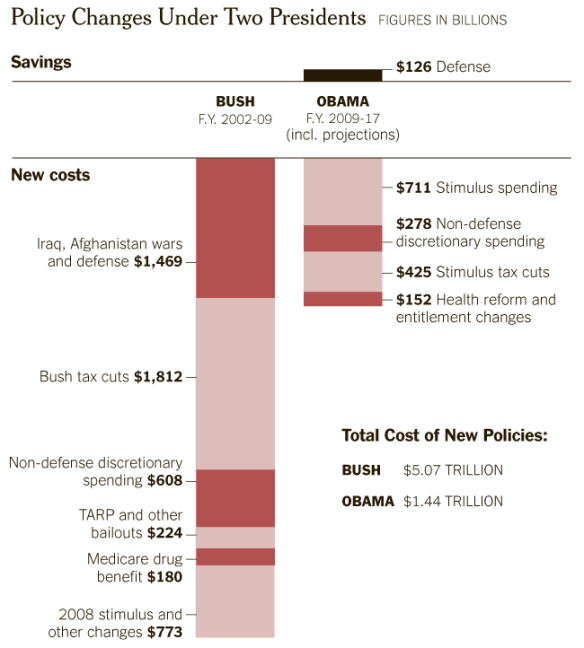
With President Obama and Republican leaders calling for cutting the budget by trillions over the next 10 years, it is worth asking how we got here — from healthy surpluses at the end of the Clinton era, and the promise of future surpluses, to nine straight years of deficits, including the $1.3 trillion shortfall in 2010. The answer is largely the Bush-era tax cuts, war spending in Iraq and Afghanistan, and recessions.
(via How the Deficit Got This Big – nytimes.com)
Depressing.
Here’s something quick and eyebrow-raising to boot this morning. A YouTube guitarist puts an iPhone 4 inside his instrument to capture some rarely seen footage of how the strings oscillate. The awesome effect is further amplified thanks to the way the iPhone 4′s shutter works, he explains in a video description:
I just happened upon this trick when testing what it was like filming from inside my guitar. Note this effect is due to the rolling shutter, which is non-representative of how strings actually vibrate.

The CDC says that for the first time in history, lifestyle diseases such as diabetes are killing more people than communicable diseases,” Travis Bogard, Jawbone’s VP of product management, tells Co.Design. “We’re trying to solve that problem.” The Up’s sensors collect data about how much you’ve been sleeping and how much you’ve been moving. That data is then fed into a smartphone app, which also takes in information about your meals. (You enter meal data manually, in part by taking pictures of what you’ve eaten.) Based on all that information, the smartphone program provides “nudges” meant to help you live healthier, day by day. For example, if you haven’t slept much, when you wake up the app might suggest a high-protein breakfast and an extra glass of water.
I can see myself benefiting from one of these.
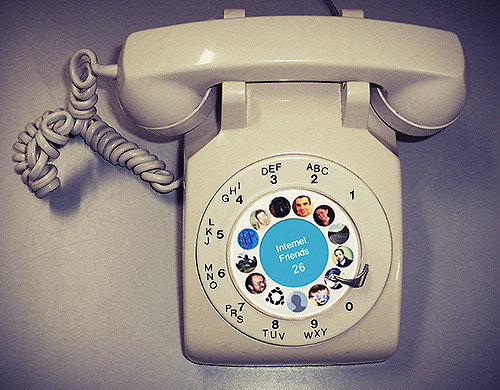
I don’t think the Circles feature of Google+ deserves the praise it’s getting. The circles themselves are gimmicky and lack utility. It’s good that Google is making privacy a selling point of G+, but I think that’s where the praise for circles should end.

This gallery contains 10 photos.
Well, here’s the thing, as Christopher Mims at Technology Review brilliantly points out: touch is a powerful, powerful thing. And not the sterile, featureless version that passes for “touch” on your iPad. I’m talking about the physical, primal, ultra-high-res sensorium … Continue reading

Yesterday was the first Cardiff International Comic Expo, the first comic convention I’ve ever attended. I had a great time, saw some cool stuff and spent a little more than I expected!
Here’s a quick rundown of the highlights for me… Continue reading
Update 2011.12.31: WordPress.com don’t support KickStarter video embeds, so you have to click through to see the video.
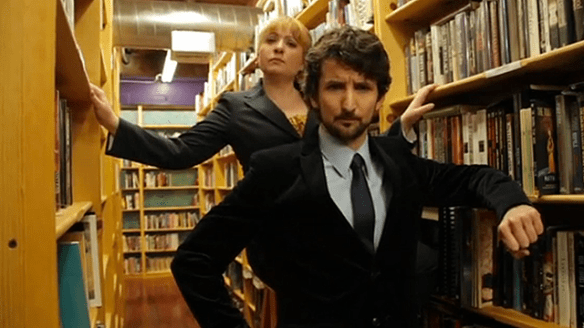
If this isn’t the best Kickstarter idea yet, it’s almost certainly the funniest Kickstarter video!
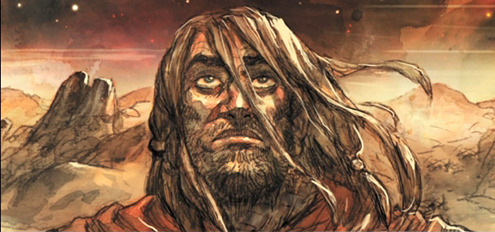
When Darren Aronofsky was 13-years-old, he won a United Nations poetry competition at his Manhattan Beach, Brooklyn school for a poem about the end of the world as seen through the eyes of Noah. And so started Aronofsky’s obsession with the biblical figure. In September 2008 we talked to Aronofsky about his idea for a film based on Noah:
“It’s the end of the world and it’s the second most famous ship after the Titanic. So I’m not sure why any studio won’t want to make it,” said Aronofsky. “I think it’s really timely because it’s about environmental apocalypse which is the biggest theme, for me, right now for what’s going on on this planet. So I think it’s got these big, big themes that connect with us. Noah was the first environmentalist. He’s a really interesting character. Hopefully they’ll let me make it.”
Aronofsky has later revealed that they have a script and even a “big name” actor attached to the project, but that isn’t enough to get the studios interested.
First Look: Darren Aronofsky’s ‘Noah’ – via slashfilm.com
Sounds like a Kickstarter project to me! I wonder if that model could be scaled up to support $100million+ feature film budgets? Then we’d finally be able to see if people really do just want to see mindless action movies and romantic comedies…
This looks great. Sadly, judging by the roadmap it doesn’t look like the NoteSlate will be really useful until version 2 (which adds handwriting OCR), so I hope the device can survive until then. An iPad type tablet may be a lot more fun, but I can see a £50 tablet like this being incredibly useful.
When it’s produced, supposedly by June, you’ll be able to select from the traditional white background and black foreground or go with a black background with white. Other colors, including green, blue, or red text, or a “4 colour edition” that does all of them at once, are due sometime down the road. The tablet works with touch or pen input, will offer 180 hours of battery life, and is to be fully open-source, with the initial software release supporting simple drawing, storing of notes, and MP3 playback. Version 1.5 will add PDF and text viewing, while version 2.0 will be rocking OCR handwriting recognition. The best news? It’s said to be just $99, though surely the multi-color edition will cost more. Right now it exists only as renders but with, a release mere months away and a decidedly attractive price point, we’re intrigued. Skeptical, but intrigued.
(emphasis mine) via $99 concept NoteSlate tablet does electronic ink in color, but only one at a time – engadget.com
I’ve been a bit quiet on this blog and Twitter for a week or so now because I’ve been concentrating on a few personal projects:
This one is just a Photoshop mock (the provisional name ‘The Local’ is going to have to be changed as I since found another theme with that name), but I’m quite pleased with the look and feel of it all. I wouldn’t usually do a mockup like this, but as I’m going to be learning WordPress theme creation from scratch, I didn’t want to have to be worrying about the design at the same time.

About halfway through creating this I realised it looked very BBC-ish. I’ll probably just try to give it a different default colour scheme to combat this.
The design has a lot of space for different widgets and I plan to give the nameplate area a lot of configuration options so no two of these blogs should look alike.
One feature I quite like, but you can’t really see in this mock, is the image copyright ID icon. In the bottom right corner of the main cathedral pic, there’s a CC licence symbol. I imagine that when you hover over this, a full credit will pop up over the picture, with link to the source, etc. It seems like a neat solution to me, and not one I’ve seen elsewhere.
I’ve stalled work on this for the time being as I wanted to get my second project up and running first…
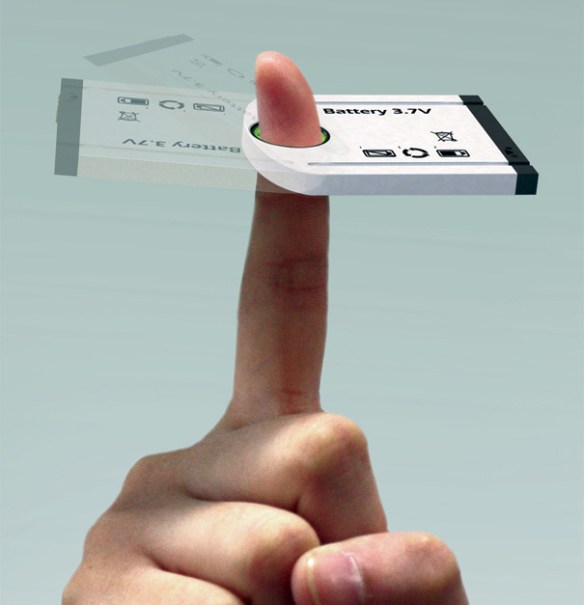
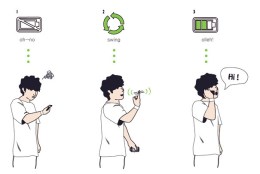
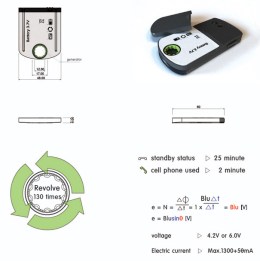
[…] a helpful solution for a tricky situation. The situation being: you running out of juice on your mobile phone. So what do you do? Remove the battery from the back of the phone; give it a few good turns around your index finger and its gathered enough power to last you a conversation or a safe trip to your charger and electric point.
(via Cheers To Finger Power! – yankodesign.com)
Clever.

 halfblog.net